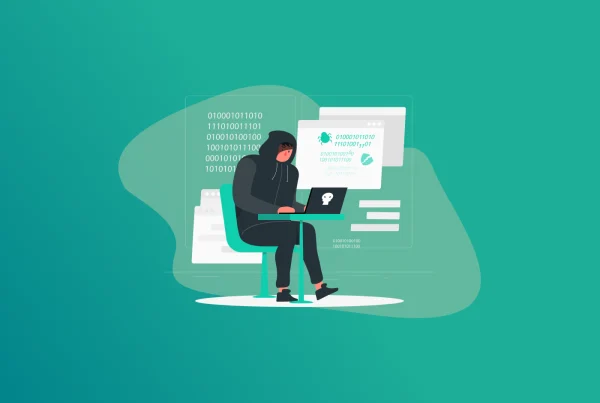

Cookie hijacking, also known as session hijacking, is a type of cyberattack in which a hacker intercepts a browser session and uses cookies to steal small data files. Website cookies store login credentials. And attackers may exploit them to gain access to your account.
How do you avoid cookies when almost all websites feature them? This guide walks you through a brief explanation of how are cookies dangerous for password security, browser cookie security risks, and how to mitigate them.
Note: Set strong passwords to avoid cookie theft attacks. We recommend using the FastestPass free password generator for quick password generation. Subscribing to FastestPass offers a range of premium features, such as password health analysis. This notifies you about weak passwords and their vulnerability to cyber attacks.
Cookie Hijacking Explained: What Are Cookie Theft Attacks?
Cookie hijacking or session hijacking is a cyberattack where attackers steal cookies from a user’s session to impersonate them and gain unauthorized account access. The hacker doesn’t need your actual account password. Instead, they only need the active session cookie.
How Cookie Hijacking Works
Blindly accepting cookies may result in data theft, often done through session hijacking. Here’s a breakdown of how cookie/session hijacking works:
- Hackers exploit a session’s cookies to Hackers exploit a session’s cookies to gain access to a user’s account.
- A hacker inserts the stolen credentials via the site cookies into their own browser.
- The site recognizes the cookie as valid and grants access.
- The attacker now has the same access as a legitimate user.
What Are the Methods of Cookie Hijacking
Forbes reports that almost 94 billion browser tracking cookies were published on the dark web. Cookies are sometimes essential for websites. These primarily help sites target ads and tailor the user experience as per your preferences. However, blindly accepting all cookies may expose you to great dangers as well, such as cookie hijacking attempts.
Here’s a breakdown of the methods of cookie theft:
1. Packet Sniffing
Hackers intercept and eavesdrop on unencrypted network traffic using tools like tcpdump, Wireshark, and Kismet. You’re prone to a packet sniffing attack if you’re using a public WiFi network or a site without HTTPS (without a padlock).
2. Client-Side Attacks (XSS)
A hacker inserts a malicious JavaScript into the vulnerable site. Whenever the user opens the site, the malicious JavaScript runs in the browser (client-side). The script accesses the site’s cookies that the user accepted and transmits them to a server controlled by the hacker.
3. Web Application Vulnerabilities
This can be via Cross-Site Request Forgery (CSRF) or Man-in-the-Browser (MITB) attacks. An attacker tricks the user into making an unwanted request and forces the browser to send cookies to the attacker. Unlike XSS, CSRF uses existing cookies. This doesn’t steal them directly but exploits them.
4. Side-Channel Attacks
These include Timing, Cache, and Power Analysis attacks. Timing attacks work by attackers measuring the user’s response time to infer cookie values. Cache attacks feature hackers who exploit browser/CPU cache behaviour. And in power analysis, hackers monitor power consumption to deduce crypto operations.
5. Protocol and Implementation Flaws
There are three methods of exploiting the protocol and implementation flaws:
- SSL/TLS Vulnerabilities: A Hacker uses the leaked memory content, including the session cookies, and forces SSL downgrade attacks.
- Cookie Mismanagement: Subdomain issues, such as example.com cookies might be accessible to attacker.example.com. Cookies are then sent to incorrect ports.
- HTTP Request Smuggling: An Attacker manipulates the HTTP request sequences, and one user’s request gets another user’s response with cookies.
6. Social Engineering Methods
This includes a variety of approaches, such as fake login pages, session hijacking portals, and malicious QR codes. Moreover, shoulder surfing activities are also a part of social engineering methods. Hackers might watch someone use their computer, record their screen activity, or discreetly record in public spaces.
7. Advanced Persistent Techniques
There are two primary methods: Pass-the-Cookie attacks and Browser Exploit Frameworks. In a Pass-the-Cookie attack, a hacker steals Kerberos tickets or SSO cookies and uses them to move within networks. On the other hand, in Browser Exploit Frameworks, hackers hook browsers, execute commands, and steal cookies.
An attacker might also poison CDN or proxy caches to result in multiple users receiving malicious content. Following this, cookie-stealing scripts are injected into cached pages to support cookie hijacking.
How to Protect Passwords From Cookie Hijacking
Password protection measures from cookie theft can be categorized into: User-side practices and Developer-side practices. As a user, use strong passwords and connect to a VPN to safely browse the web. Here are ways to protect your passwords from cookie hijacking:
User-Side Practices
Before heading to the technicalities, here are the practices we recommend implementing to protect your passwords from cookie hijacking:
- Use Strong Passwords: Ensure your passwords are at least 12 characters with a blend of numbers, letters, and alphanumerics. Or, use FastestPass password generator to create strong passwords in seconds.
- Connect to a VPN: Use a reliable VPN, like FastestVPN. Once connected, your internet traffic is routed via an encrypted tunnel. It makes cookie theft attempts almost impossible.
- Enable Multi-Factor Authentication (MFA): MFA significantly reduces the risks of cyber attacks. Enable two-factor authentication to guard against cookie theft.
- Update System Software: Keep your operating system, browser, and security programs updated. These updates frequently contain patches that fix critical security flaws.
- Clear Browser Cache: Clear your browser cookies and cache. This often shortens the potential lifespan of a stolen session cookie.
- Log Out of High-Risk Accounts: Don’t rely on simply closing the browser tabs. Log out of your sensitive accounts to end the session immediately.
- Use a VPN for Public WiFi: Using public WiFi without a VPN brings you a step closer to man-in-the-middle attacks. Data transmissions and cookies are easier to intercept. Ensure connecting to a trusted VPN, such as FastestVPN, when using public WiFi.
- Run Malware Tests: Use a reliable antivirus software to scan for malware. This helps mitigate the malware risks and removes them if any exist on your device.
- Avoid Clicking on Suspicious Links: Avoid downloading apps from untrusted sources, or clicking on suspicious (too good to be true) links, followed by a message, or engaging in content piracy.
FAQs – Cookie Hijacking
Cookies can be dangerous for password security. We recommend being selective and only accepting the essential cookies. Reject unnecessary third-party cookie settings and delete them after every session. Cookie theft is when hackers steal session cookies to hijack user accounts. Methods like cross-site scripting, session hijacking, or public WiFi enable cookie theft attacks. Stolen cookies give attackers direct access to user accounts without requiring passwords. Cookies cannot see passwords. They store session IDs or preference data. However, they do not store or read plaintext passwords. Cookies only keep authentication tokens that maintain login status. Hackers find passwords via various methods, such as: Hackers manipulate users into entering passwords, reuse leaked passwords from other sites, or steal encrypted password databases and crack weak hashes. Cookie logging results are capturing session cookies that store authentication tokens, site preferences, and user identifiers. Cookie logging enables hackers to access without passwords. Logged cookies don’t reveal plaintext passwords but can expose account IDS, tracking data, and login status.
Final Note
Cookie hijacking results in hackers gaining access to your accounts. Be selective when accepting cookies, i.e., only accept essential cookies rather than setting your site preferences or allowing access to your information.
Strong passwords are your best guard against cookie hijacking attempts. FastestPass free password generator helps you create new, strong passwords within seconds. You can also get the FastestPass subscription and manage all passwords in no time, while ensuring security against cookie hijacking.
Generate passkeys, store them in vaults, and safeguard sensitive data! Receive the latest updates, trending posts, new package deals,and more from FastestPass via our email newsletter.
By subscribing to FastestPass, you agree to receive the latest cybersecurity news, tips, product updates, and admin resources. You also agree to FastestPass' Privacy Policy.
Secure and Create Stronger Passwords Now!
Subscribe to Our Newsletter