
CapCut account recovery becomes important when you suddenly lose access to your account. Many users also lose access to their drafts, projects, or CapCut Pro features. Some may experience account suspensions, while others will have login errors or restrictions but may not know the exact cause of it.
There are several reasons why one would encounter these types of problems, such as making too many logins or suspicious activities among others. The best part about these CapCut account problems is that they can be resolved.
Many restrictions are temporary. Users can often recover their accounts by following the right steps.
This guide explains simple and practical ways to recover a CapCut account. It also covers common login problems and tips to avoid getting locked out again.
Why CapCut Accounts Get Suspended
CapCut may suspend or temporarily restrict an account for different reasons. The platform uses automated systems to detect unusual activity and policy violations.
Some common reasons include:
- Too many failed login attempts
- Logging in from many devices
- Suspicious activity detected
- Using VPNs repeatedly
- Copyright or content policy violations
- Problems with linked TikTok or Google accounts
- Age verification issues
- Payment or subscription problems
Sometimes users get suspended even without doing anything wrong. Many Reddit users reported temporary restrictions after switching devices or sharing accounts across multiple devices.
Step One: Comprehend the Error Code
Instead of doing trial-and-error methods, first read the message thoroughly.
Possible messages can be:
- “Account Suspended”
- “Maximum Number of Attempts Met”
- “Try after 24 hours”
- “Authentication Failure”
- “Your Account is Temporarily Locked”
Keep a screenshot of the error message. You might require it while contacting customer support.
In addition to that, also go through your email account for any security/suspension notice sent by CapCut directly through email.
Use the In-App Support Option First
One of the fastest recovery methods is the in-app support system. As per numerous recovery guides, this is much more effective than constantly sending emails.
Do as follows:
- Launch CapCut app
- Select Settings option
- Tap on Help & Support section
- Select “Report a Problem” option
- Pick an appropriate category of the problem
- Attach screenshots
- Describe the problem politely
- Your message should be brief and clear.
For example,
“Hello CapCut Support. My account was blocked out of the blue. It seems that there might have been some mistake on your side. Could you check the account and unblock it? Thanks.”
Don’t use aggressive messages and submit tickets excessively.
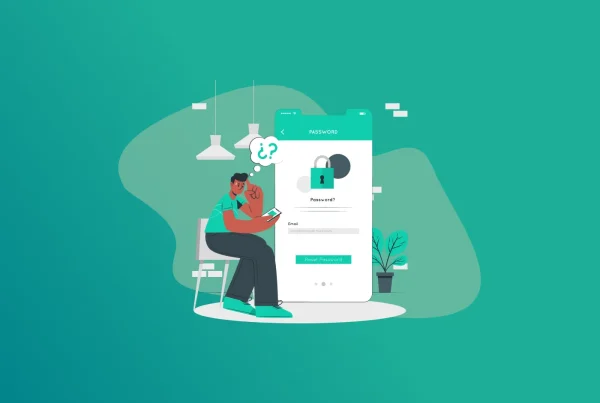
Recover Your Password Properly
Sometimes the issue is not a suspension. Users simply forget their password or login method.
CapCut supports multiple login options such as:
- TikTok
- Apple ID
- Email login
Many users accidentally create a new account because they use the wrong login method. Reddit users often report this problem after reinstalling the app.
Try every login option you previously used.
If you forgot the password:
- Open the login page
- Tap “Forgot Password”
- Enter your email or phone number
- Follow the reset instructions
Make sure you use the exact email connected to your original account.
Wait If You Triggered a Security Lock
Account lockouts due to unsuccessful login attempts occur frequently on CapCut, often due to security reasons.
The error messages will read:
- “Retry After 24h”
- “Maximum Attempts Allowed”
- Don’t continue with the login process, which aggravates the situation.
- Continuous password entry tends to prolong the account lockout time.
What should be done?
- Wait for a minimum of 24-72 hours
- Log out of the app from other gadgets
- Reset your phone
- Log in later using a single device
This solves the problem for many users.
Check if You Have Linked Your TikTok, Google, or Apple Account
CapCut is linked to TikTok accounts, Google accounts, or Apple accounts in some cases. Login problems with CapCut could occur due to problems with linked accounts.
Example:
- Your TikTok account is suspended
- Your Google session might have expired
- Your Apple login changes on iPhone
Login to the linked account first and then launch CapCut. Change your password for Google if your Google account was hacked.
Upgrade the Application Before Attempting Again
Sometimes, the old application version may be a reason for logging into the app. Many people still use the previous version of the application, which is not able to connect with the server of CapCut.
What should you do then?
- Update the application from the Play Store or App Store
- Shut down your phone
- Clean the app cache
- Launch the application again.
If the app still does not work, reinstall it carefully.
But before reinstalling, make sure your projects are synced online. Otherwise local drafts may disappear.
What to Do If Your CapCut Pro Subscription Is Active
Users will lose access to their accounts even when their subscriptions on CapCut Pro are still active.
In case of such scenarios, you should:
- Keep payment proofs
- Reach out to customer service right away
- Ask for billing help
- Cancel automatic payments if needed
Apple customers would normally need to request their refunds from Apple directly.
How FastestPass Can Help
In case you find yourself dealing with difficulties with logins, suspensions or multiple verifications, then FastestPass can assist in making account login and password management easier.
A common problem among many people is forgetting how they initially logged into an account. Password security and good account management will help prevent any future locks.
The smart choice would be to always have your credentials safe and avoid irresponsible account sharing practices.
Account Protection Tips for the Future
After getting back access to your account, here are some simple measures that you can undertake.
- It is better not to log into a lot of devices like phones or computers.
- Shared accounts tend to arouse security concerns.
- Set strong passwords and use two-factor authentication where possible.
- Frequent switching of locations raises security alarms.
- Keep records like your e-mail and receipt.
- Do not post copyrighted materials on the platforms.
Final Thoughts
Recovery of CapCut account is very much achievable under most circumstances. In most cases, these restrictions are not permanent and could be resolved with patience and the correct approach to recovery.
The most crucial step in any such scenario is maintaining calmness while avoiding repeated attempts at logging in. Using in-app support should come first in addition to verifying all connected accounts.
In most cases, you will manage to recover your account through the correct procedures and maintain access to your projects and other data on it.
Generate passkeys, store them in vaults, and safeguard sensitive data! Receive the latest updates, trending posts, new package deals,and more from FastestPass via our email newsletter.
By subscribing to FastestPass, you agree to receive the latest cybersecurity news, tips, product updates, and admin resources. You also agree to FastestPass' Privacy Policy.
Secure and Create Stronger Passwords Now!
Subscribe to Our Newsletter