
Notion account recovery is a tricky thing to do, but many users are obliged to do that as failing to sign into your Notion account can cause frustration. Notion is a platform where millions of users perform various tasks related to their jobs, studies, projects and other personal notes.
However, failing to sign into your account feels so drained since all the important data becomes unavailable to you. Luckily, there are quick and simple fixes to Notion account recovery problems.
No matter whether you’ve forgotten your password, don’t have access to your email, or encounter other login problems, you can use one of the ways to recover your account.
This blog will help you figure out how to recover your Notion account. It also explains possible login issues and ways to recover an account. Let’s get started.
Why People Lose Access to Their Notion Accounts
There could be many different reasons behind the problem of being locked out of Notion. The most frequently encountered causes are:
- Forgot passwords
- Losing access to the registered email address
- Entering the wrong login details
- Problems with two-step verification process
- Expiration of email accounts at the respective universities/schools
- Security restrictions on account usage
Unfortunately, most of these problems could easily be fixed using the proper procedure.
How to Recover a Notion Account If You Forgot Your Password
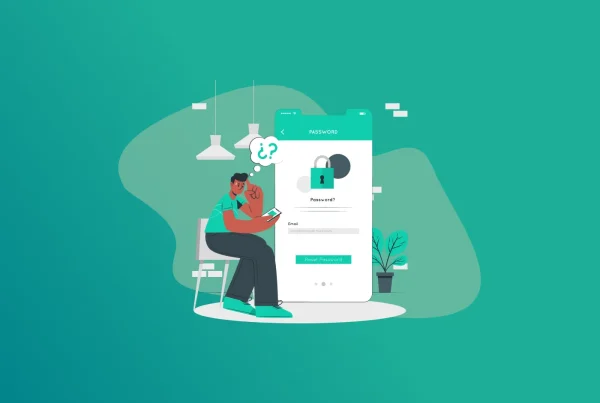
Forgotten passwords are one of the most common login problems. Notion allows users to reset their passwords through the official recovery process. According to the Notion help guide, the user is able to go to the login page, choose “Forgot password,” type in the email address, and obtain a password reset link.
- Access the Notion login page through the browser. Click on “Forgot password?” beneath the login box.
- Type in the email address associated with the Notion account. Double-check the spelling of the email address before sending.
- Search for the Notion password reset email. The email will likely be found in your Inbox, Spam, Junk, and Promotions folders.
- Wait for a few minutes if you do not receive the email right away. Follow the password reset link emailed to your email address.
- Choose a secure and unique password which you haven’t used before. Go back to the Notion login page. Log in to Notion using the newly created password.
What If You Don’t Receive the Password Reset Email?
There are times when the reset email will not be received. Do not jump to conclusions without performing these simple checks first:
- Have you keyed in the right email?
- Look into your emails to see if you have any emails from Notion.
- Check your spam folder.
- Give it at least 10 to 15 minutes.
- Request another reset email.
In case none of these works, it means you are using the wrong email or that you signed up using Google or Apple accounts instead of having a password.
Recovering a Notion Account Without Access to Email
It is one of the toughest cases. Often, people register themselves with an email address related to their school, university, or job. After some time, they no longer have access to that email and find themselves unable to log in. Notion support documentation mentions that users who are able to access their account and who have set a password can add another email to their profile.
If You Are Still Logged In Somewhere
If you are signed in from another device:
- Go to Settings.
- Click on Account Security.
- Add a new email address.
- Confirm the new email address.
- Make the new email address the primary one.
- Delete the old email address if required.
This is the easiest solution.
If You Already Lost Access Everywhere
It gets even more difficult. Community forum debates indicate that users who have no access to either their email or account will require help from Notion customer service. In this situation, follow these steps:
- Gather evidence of account ownership.
- Gather evidence of subscriptions if any.
- Gather information about workspace.
- Contact Notion customer service.
The more information provided, the higher the probability of recovery.
Recovering a Notion Account Linked to a School Email
This is the type of challenge that students are faced with. A university account can be locked once one graduates from there. In case one used an email account in Notion, it will no longer work. Most people have reported cases of inability to log into Notion after losing their email accounts. In order to avoid this situation:
- Change your email account before graduating from school.
- Incorporate a personal email account.
- Set up a password in addition to using email codes.
How to Recover a Notion Workspace
Sometimes users can log into their account but cannot access a specific workspace. This usually happens because:
- Workspace ownership changes
- Permission removal
- Deleted invitations
- Account switching issues
Start by checking whether you are logged into the correct account. Many users accidentally create multiple Notion accounts with different email addresses. Try every email address you may have used previously. You may discover that your workspace is linked to another account.
Can You Recover Deleted Notion Content?
One of the biggest concerns regarding lost account access is that all the data will be irretrievably lost. Fortunately, this is not always the case. The Notion software enables users to retrieve their deleted pages using the Trash function during a certain period. In situations where the pages had been permanently deleted, the process becomes increasingly challenging after the retention period elapses. In instances where deleted pages need to be retrieved: Go through the trash can. Look out for page history. Search for any exported backup pages.
How to Secure Your Notion Account After Recovery
After gaining access, spend a few moments to enhance the security of your account. Change your password. Choose a strong and unique password. Add additional email addresses if it is possible. Make sure that account details are up-to-date. Do not use temporary email addresses. Save all recovery information in a password manager. Such easy actions will help you avoid recovery issues in the future.
Access Notion Securely While Traveling
Users might come across situations where they may not be able to log into their accounts owing to network barriers, or even due to some potential public Wi-Fi hazards. It would be advisable to make use of a reliable Virtual Private Network (VPN), to ensure safety while connecting.
Conclusion
It can be quite annoying when you become locked out of your Notion account. Thankfully, most instances where one gets locked out of their account can be handled by a password reset, an email change, checking your workspace, or even seeking help from customer support. If you forget your password, go ahead and reset it using the right process. In case you have access to a device logged into your account, make sure that you update your email details at once. Additionally, if you are using a school or workplace email, then you might want to consider switching to a personal one before the access is blocked off. Remember, always have your recovery information up-to-date.
Generate passkeys, store them in vaults, and safeguard sensitive data! Receive the latest updates, trending posts, new package deals,and more from FastestPass via our email newsletter.
By subscribing to FastestPass, you agree to receive the latest cybersecurity news, tips, product updates, and admin resources. You also agree to FastestPass' Privacy Policy.
Secure and Create Stronger Passwords Now!
Subscribe to Our Newsletter